Python Lists – Complete Beginner Guide with Examples (2026)
Python Lists are among the most crucial ideas to grasp when learning Python. They are some of the most potent and widely utilized data structures in Python programming. Python Lists are essential whether you’re working in data science, developing a basic calculator, a website, or the backend of a mobile application. Python for AI.
The syntax, features, practical applications, techniques, comparisons, and typical errors of Python lists will all be covered in this comprehensive beginner’s guide.You will have a solid foundation and be able to confidently work with Python lists by the end of this guide.
What Are Python Lists?
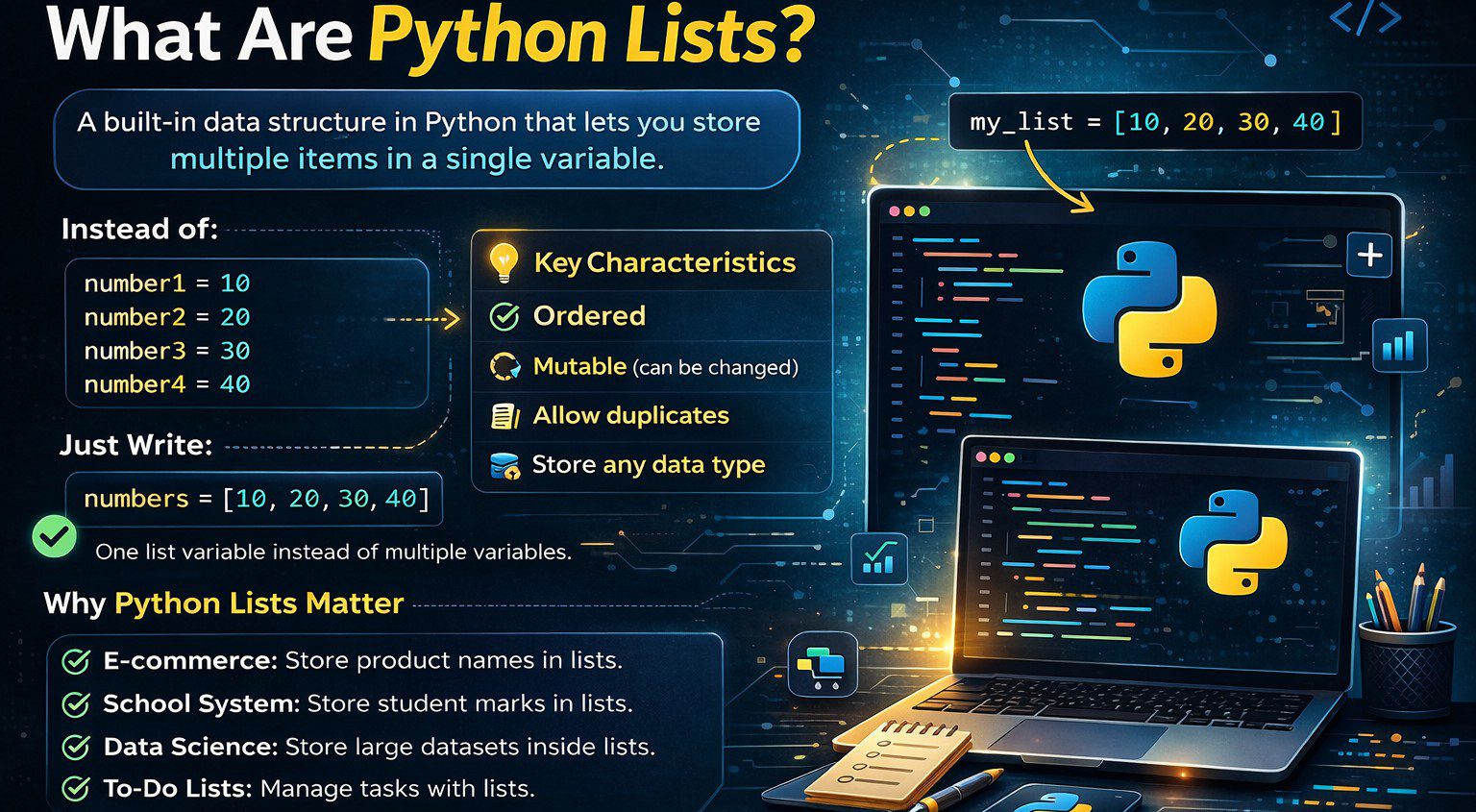
A built-in data structure in Python called a list lets you store several items in a single variable. A list can be used to group related values together rather than generating distinct variables for each value.
For example, instead of writing:
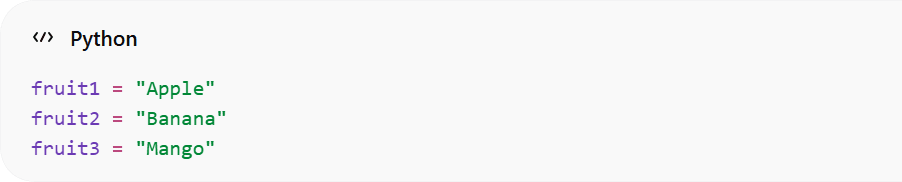
You can simply write:

This makes your code cleaner and easier to manage. The most important characteristics of Python Lists are:
- They’re in order.
- You can alter them because they are mutable.
- Duplicate values are permitted.
- They are able to store various kinds of data.
Because of these features, Python Lists are extremely flexible and widely used in programming.
Why Python Lists Are Important
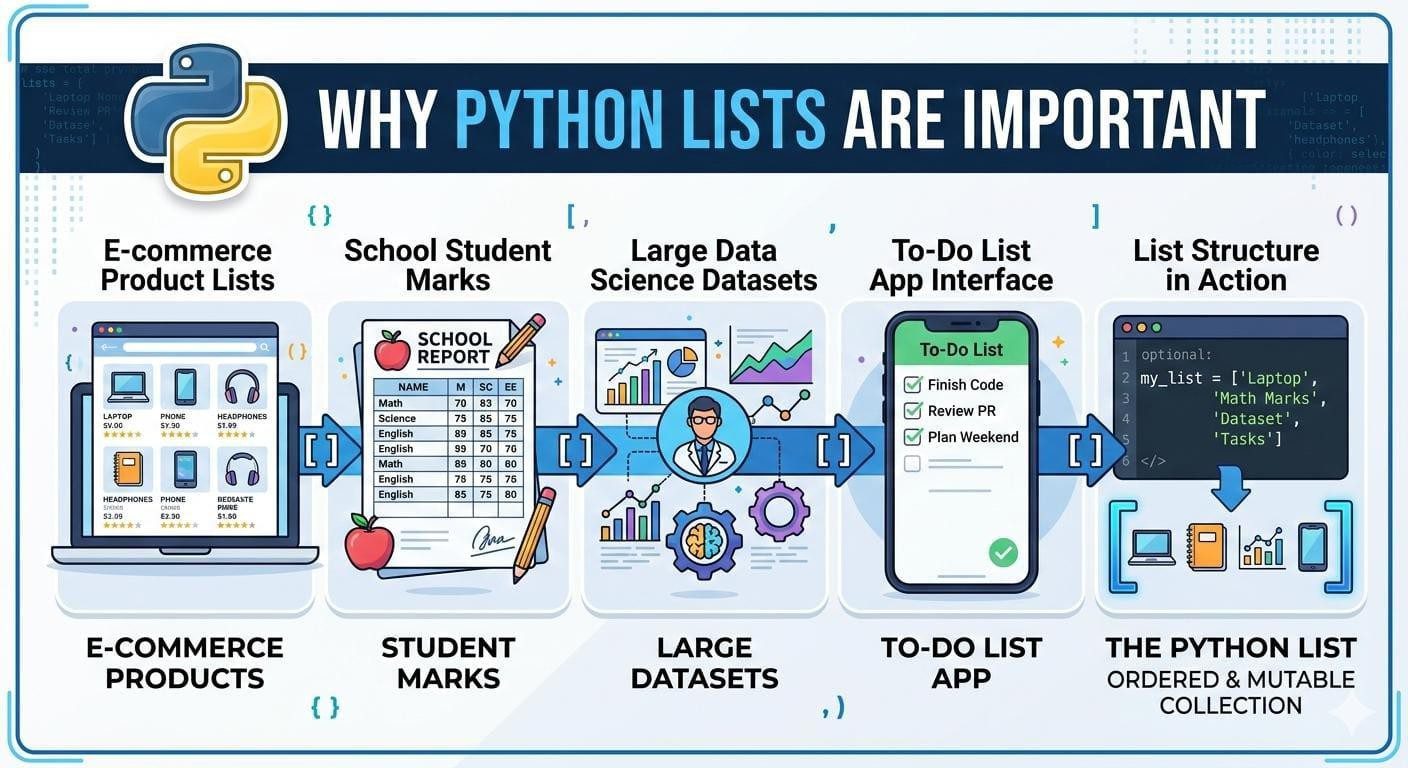
Since nearly all real-world Python applications rely on Python lists, it is imperative to understand them. Developers can better organize data collections by using lists. Developers can better organize data collections by using lists.
For example:
- An e-commerce website stores product names in lists.
- A school management system stores student marks in lists.
- A data science project stores large datasets inside lists.
- A to-do list application uses lists to manage tasks.
Managing grouped data would be extremely difficult without Python Lists. Because of this, grasping this idea is a fundamental part of learning Python.
How to Create Python Lists
Python list creation is easy. Additionally, they are flexible and can be used for beginners. In the List data structure of Python, you create a List with brackets “[ ]” and separate items with commas “,”. Lists in Python programming language are one of the main types of data that are used to store and organize data. Therefore, a good understanding of the List concept is very important when you are learning how to program in Python.
Here’s an example of creating a python list:

In this instance, there is a list called numbers that contains four integers. Each item within a Python list is referred to as an element and the order of elements in that list will remain unchanged as you add new elements.
Another common way of using Python lists is to make them empty initially (until you add elements). Here’s how:

In this instance, there is a list called numbers that contains four integers. Each item within a Python list is referred to as an element and the order of elements in that list will remain unchanged as you add new elements.
 Another common way of using Python lists is to make them empty initially (until you add elements). Here’s how:
Understanding Indexing in Python Lists
One key concept in Python Lists is indexing. Every item in a list has a position number called an index.
Important rule: Indexing starts from 0.

- London → index 0
- Paris → index 1
- Tokyo → index 2
To access an element, you use its index:


Python also supports negative indexing. This means you can access items from the end of the list:
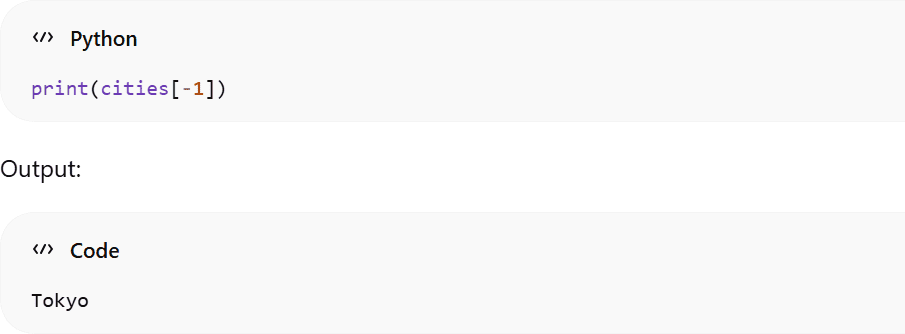
This feature makes Python Lists very convenient when working with data sequences.
Slicing in Python Lists
Slicing allows you to extract a portion of a list. This is extremely useful when dealing with large datasets.
Example:

Output:

Slicing follows this format:

The start index is included, but the end index is excluded. This is an important concept when working with Python Lists.
Updating and Modifying Python Lists
Since Python Lists are mutable, you can change their values after creation. For example:
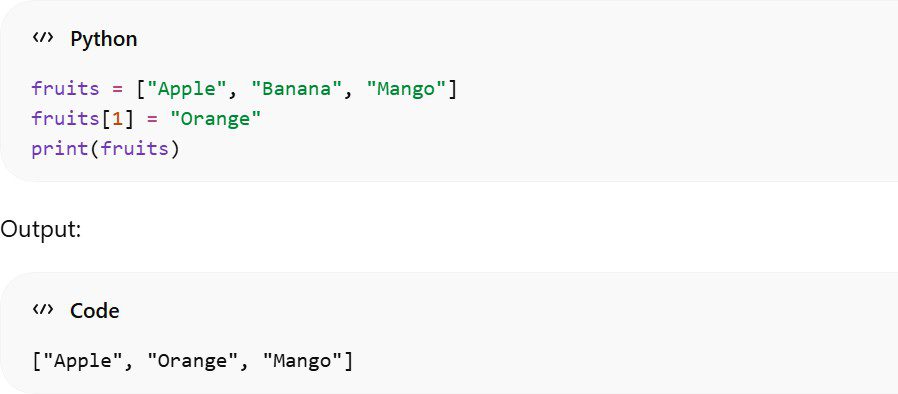
This mutability makes Python Lists very powerful when dealing with dynamic data.
Adding Items to Python Lists
There are multiple ways to add items to Python Lists. The append() method adds an item at the end:

The pop() method removes an item by index:

The clear() method removes all items:

Understanding how to remove elements properly is crucial when working with Python Lists in real-world projects.
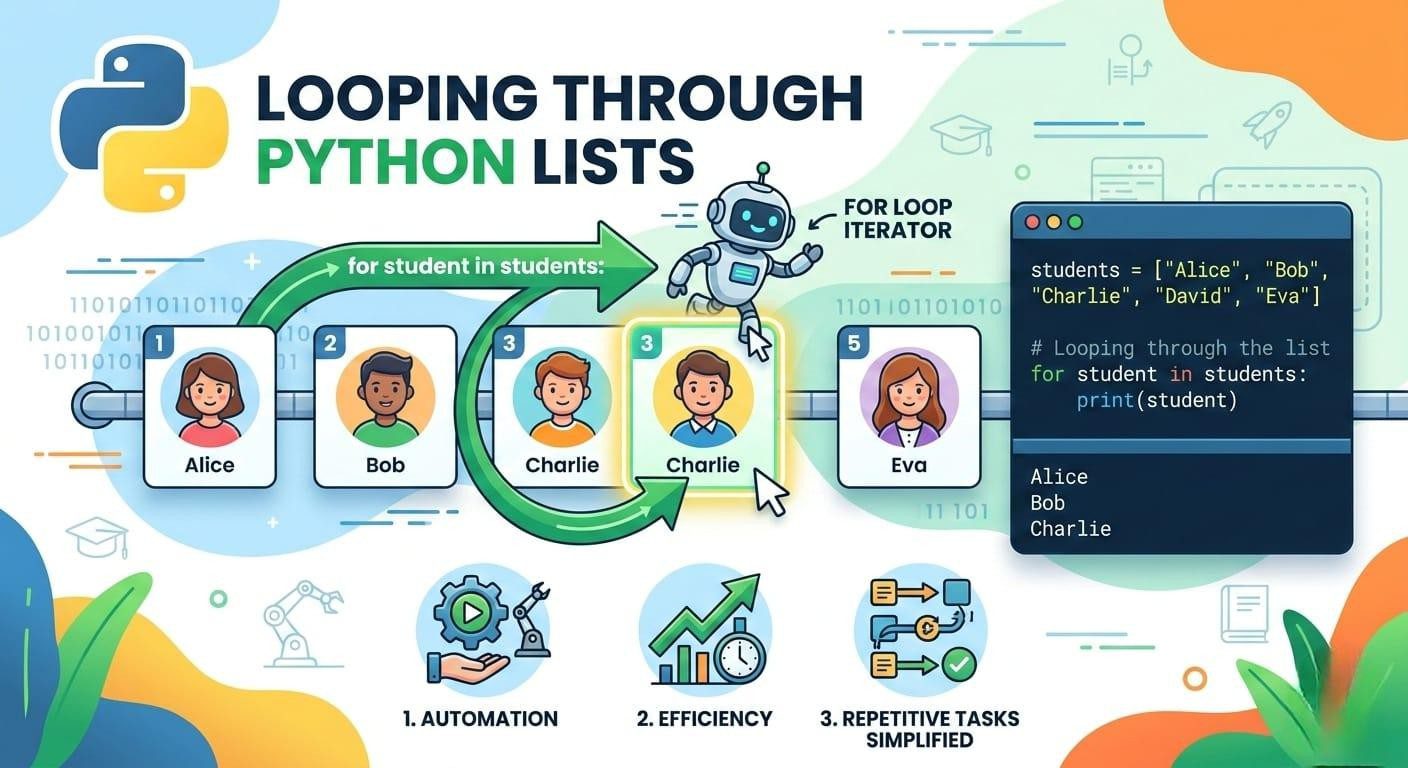
Looping Through Python Lists
The importance of working with the elements within a Python list efficiently can be found primarily through the use of loops. Commonly, loops are the best way to process and access each element individually in a Python list without repeating code. This is an essential concept in programming with Python.
Usually, loops are used to process data that is in a Python list; for example, printing values, changing values, or doing calculations on every item in the list. The majority of loops found in Python are for loops.
Using a for Loop with a Python List
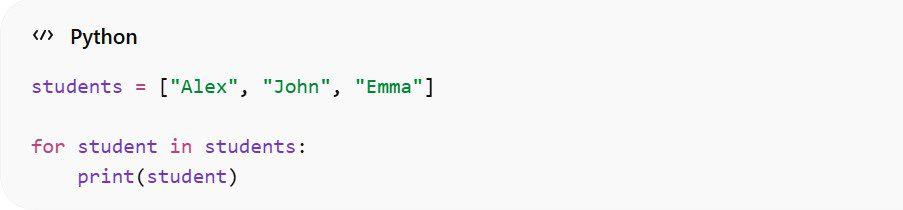
This loop iterates over every student in a list of students. At each iteration, the variable “student” contains the current value of the loop, and is printed. Each name will be printed to the user individually.
Developers can use loops with lists in Python to automate repetitive tasks and improve the quality of their code. Rather than writing separate print statements, the loop takes care of everything with a few lines of code. The combination of loops and lists make Python extremely powerful and easy to learn for beginners.
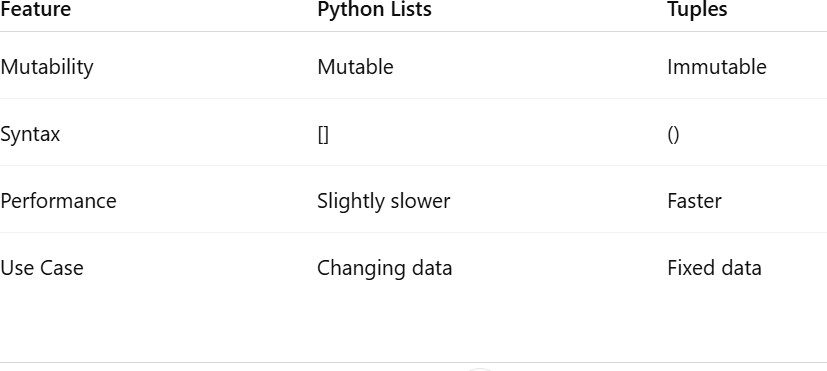
Comparison Table: Python Lists vs Tuples
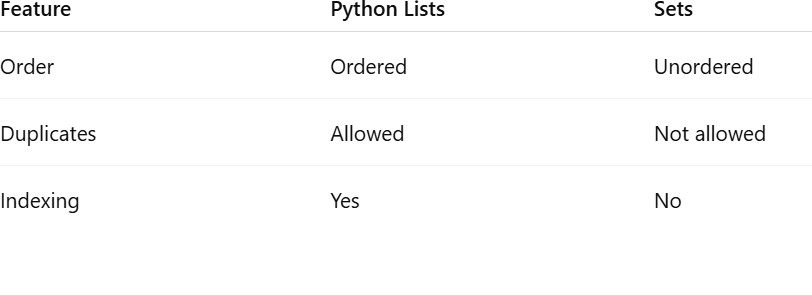
Comparison Table: Python Lists vs Sets
Common Mistakes Beginners Make
Many beginners make small errors while learning Python Lists:
- Forgetting that indexing starts from 0
- Accessing an index that does not exist
- Confusing lists with tuples
- Forgetting square brackets
- Using wrong method names
Avoiding these mistakes will make your programming journey smoother.
Real-Life Applications of Python Lists
Real-Life Applications of Python Lists
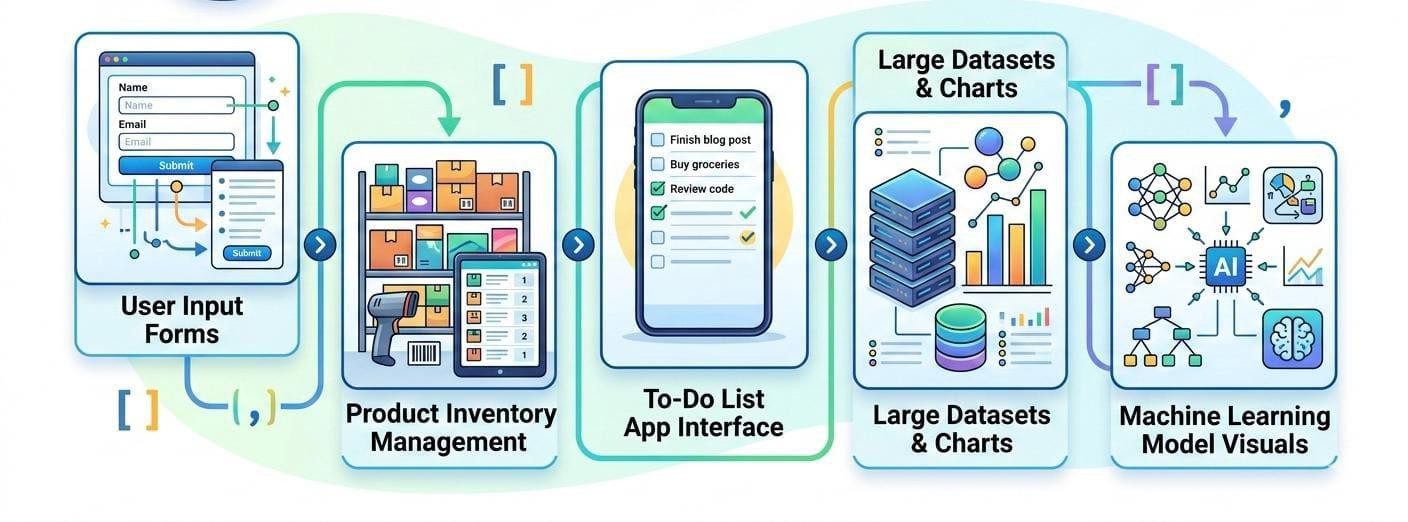
In real programming, Python Lists are used in:
- Storing user input data
- Managing product inventories
- Creating to-do list applications
- Processing large datasets
- Building machine learning models
From small scripts to enterprise-level software, Python Lists are everywhere.
Conclusion
We have investigated Python’s list fully, including creating, accessing, modifying, and using the list’s built-in methods introspectively. Because it is one of Python’s foundations and is immensely used within Python programming, it is important that you have an understanding of the importance of the list.
Lists are flexible and easy to use, making them suitable for all levels of programmers from beginner to professional. To become proficient with the list, it is important that you practice creating small projects such as a shopping cart or To Do list application. Once comfortable with creating lists, it will be important to learn about looping, as looping and lists are at the heart of many Python programs.