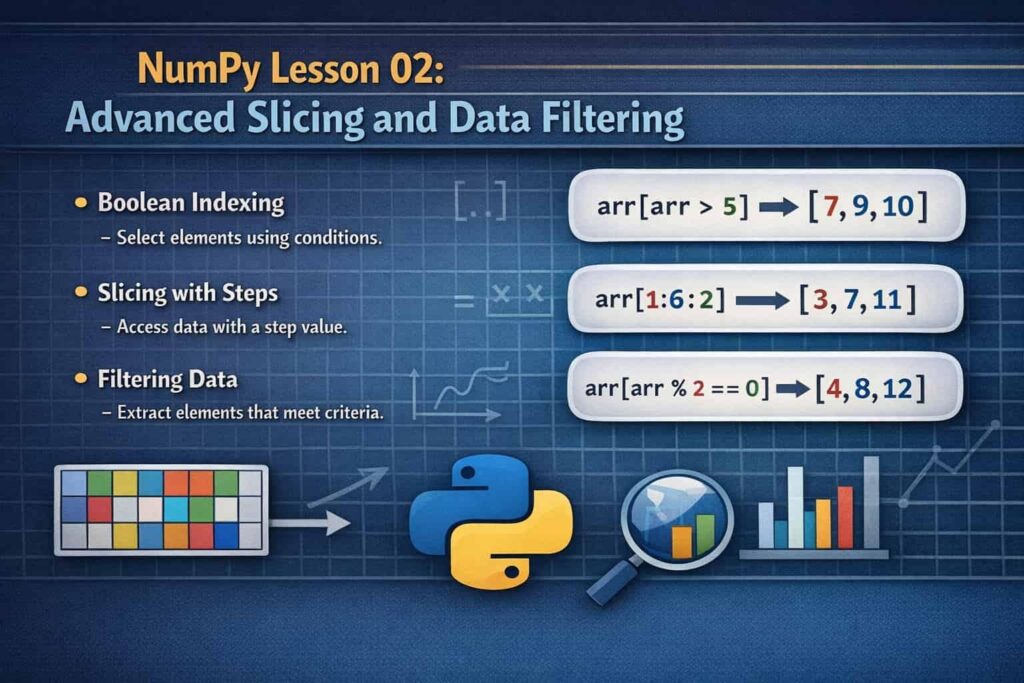

NumPy for Beginners is one of the most important topics for anyone starting data science or scientific computing with Python. NumPy (Numerical Python) is a powerful library that allows programmers to perform fast numerical operations using arrays and mathematical functions.
🚀 Interactive Learning: To practically understand these concepts and run the code live, check out our official Kaggle Notebook: NumPy Lesson 1.
NumPy is frequently used in data science, machine learning, artificial intelligence, and scientific computing in contemporary Python development. NumPy arrays offer superior performance, effective memory usage, and potent mathematical operations when compared to standard Python lists.
This tutorial will teach you how to use NumPy from the ground up, including how to import the library, create arrays, work with matrices, generate random numbers, and carry out mathematical operations.
Unlike standard Python lists, NumPy provides high-performance multidimensional arrays, optimized memory usage, and built-in mathematical functions that allow developers to perform complex calculations with minimal code.
In this complete guide, you will learn:
- How to import and set up NumPy
- How to create arrays and matrices
- The difference between Python lists and NumPy arrays
- How to generate random data
- How to initialize arrays with zeros, ones, and specific values
- How to use mathematical functions and aggregation operations
By the end of this tutorial, you will have a strong understanding of NumPy fundamentals from scratch.
📂 Python Fundamentals Guide: To download the complete code files and access detailed resources for this tutorial, visit our official GitHub repository: Python Fundamentals Mastery Guide.
What is NumPy?
It’s crucial to comprehend what NumPy is before delving further into NumPy for Beginners. A Python library called NumPy was created especially for numerical computation. It presents the ndarray (N-dimensional array), which enables programmers to effectively store and work with massive volumes of data.
NumPy arrays are optimised for mathematical operations and require less memory than standard Python lists. As a result, the first subject covered in data science courses is frequently NumPy for Beginners.
Key Advantages of NumPy
- Faster computations compared to Python lists
- Supports multi-dimensional arrays
- Provides built-in mathematical functions
- Widely used in machine learning and data science
- Works efficiently with large datasets
Because of these features, NumPy for Beginners is an essential topic for anyone learning Python programming.
Why NumPy is Important
One of the first things to comprehend when learning NumPy for Beginners is why NumPy is so popular. Developers frequently deal with huge datasets that contain thousands or millions of numbers in real-world programming.
It can be slow to perform these operations using standard Python lists. This issue is resolved by NumPy’s vectorised operations, which enable computations on whole arrays simultaneously.
NumPy for Beginners is regarded as the foundation of scientific computing and Python-based data analysis due to its efficiency.
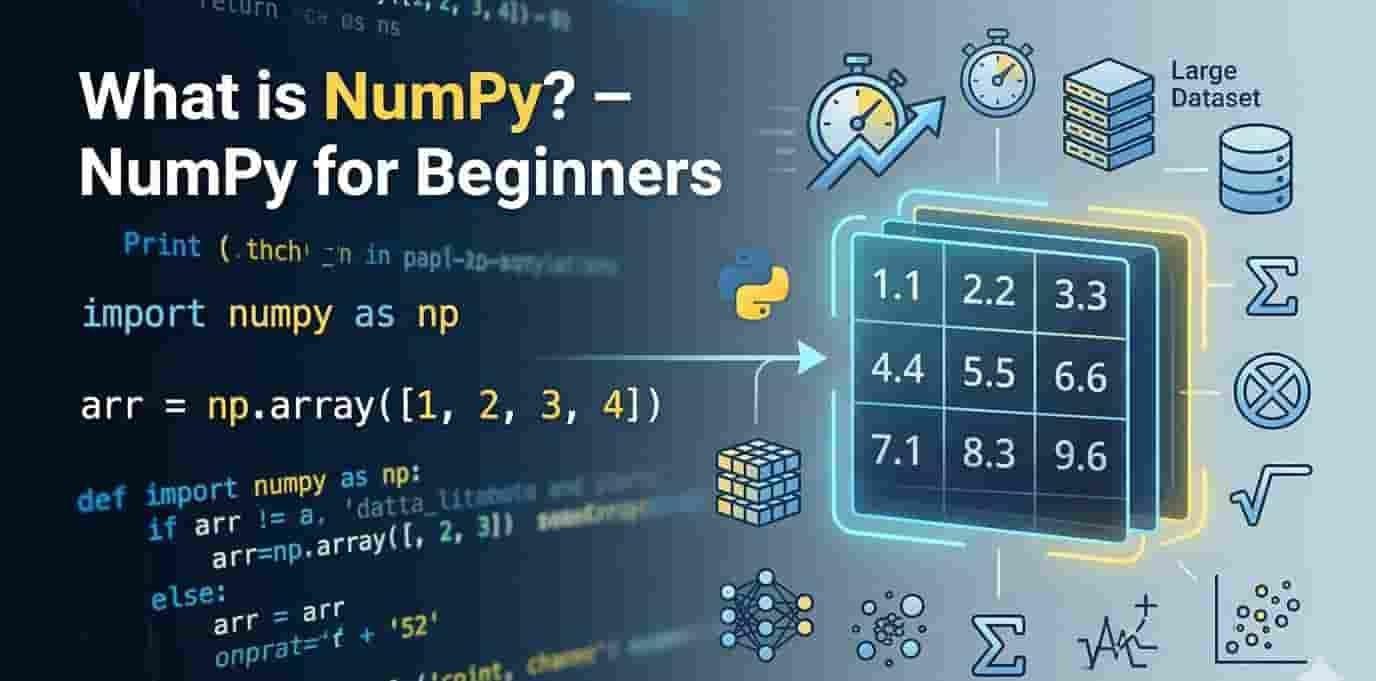
Step 1: Importing NumPy
Importing the NumPy library into your Python program is the first step in NumPy for Beginners. NumPy is typically imported into Python using the alias np. Writing NumPy functions is made simpler by this short alias, which eliminates the need to repeatedly type the entire library name.
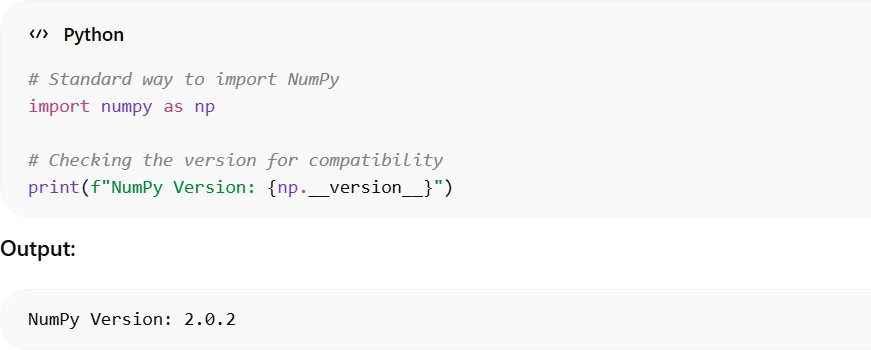
Using the alias np is widely accepted in the Python community and is considered a best practice in most NumPy for Beginners tutorials. Checking the version is also helpful because different versions of NumPy may include new features or changes.
Step 2: Basic Array Creation
One of the key ideas of NumPy for beginners is making arrays. The primary data structure of A NumPy array can be made from a Python list using np.array().
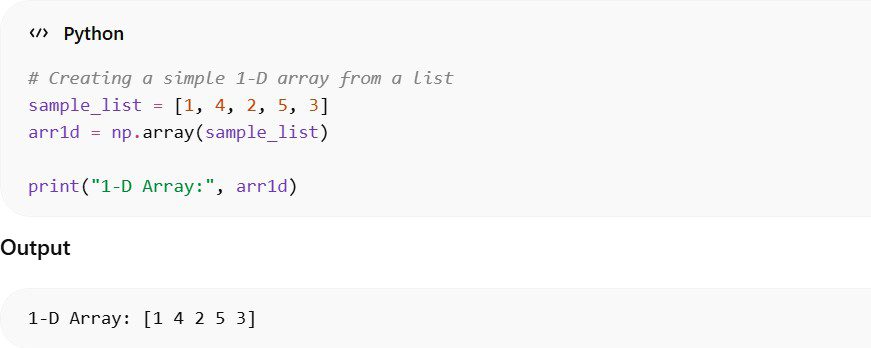
In this example, a normal Python list is converted into a NumPy array. Once the data is stored in an array, developers can perform fast numerical operations, mathematical calculations, and data manipulations more efficiently.
Step 3: Lists vs Arrays Behavior
Understanding the difference between Python lists and NumPy arrays is another important topic in NumPy for Beginners. Although both can store collections of values, their behavior during operations is quite different.
Python List Behavior
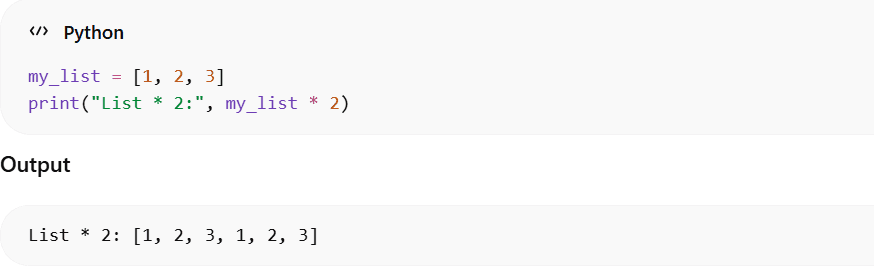
In this case, multiplying a Python list by 2 does not perform a mathematical operation. Instead, it duplicates the list, repeating its elements. This shows that Python lists are mainly
designed for general-purpose data storage, while NumPy arrays are optimized for numerical computations.
Step 4: Data Consistency
Data consistency is another key concept taught in NumPy for Beginners.
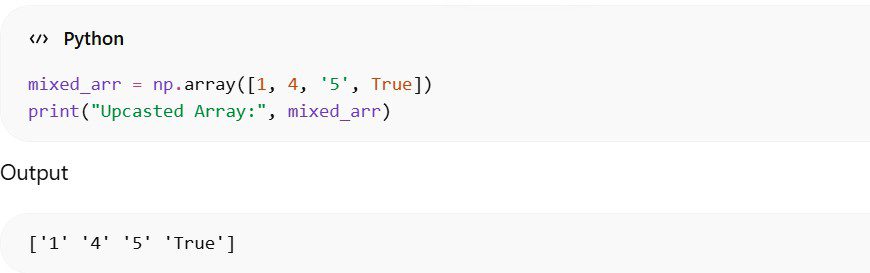
NumPy converts all values into a single consistent data type.
Step 5: 2-D Arrays (Matrices)
Working with matrices is an important skill when studying NumPy for Beginn
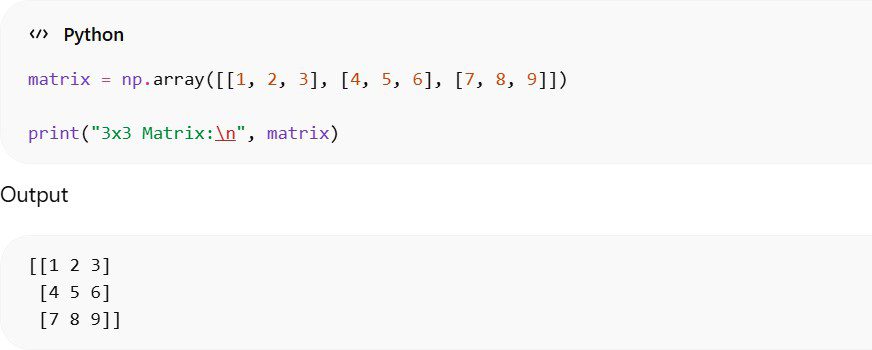
Step 6: Creating Random Data
Random number generation is frequently used when learning NumPy for Beginners.

Step 7: Fixing Randomness
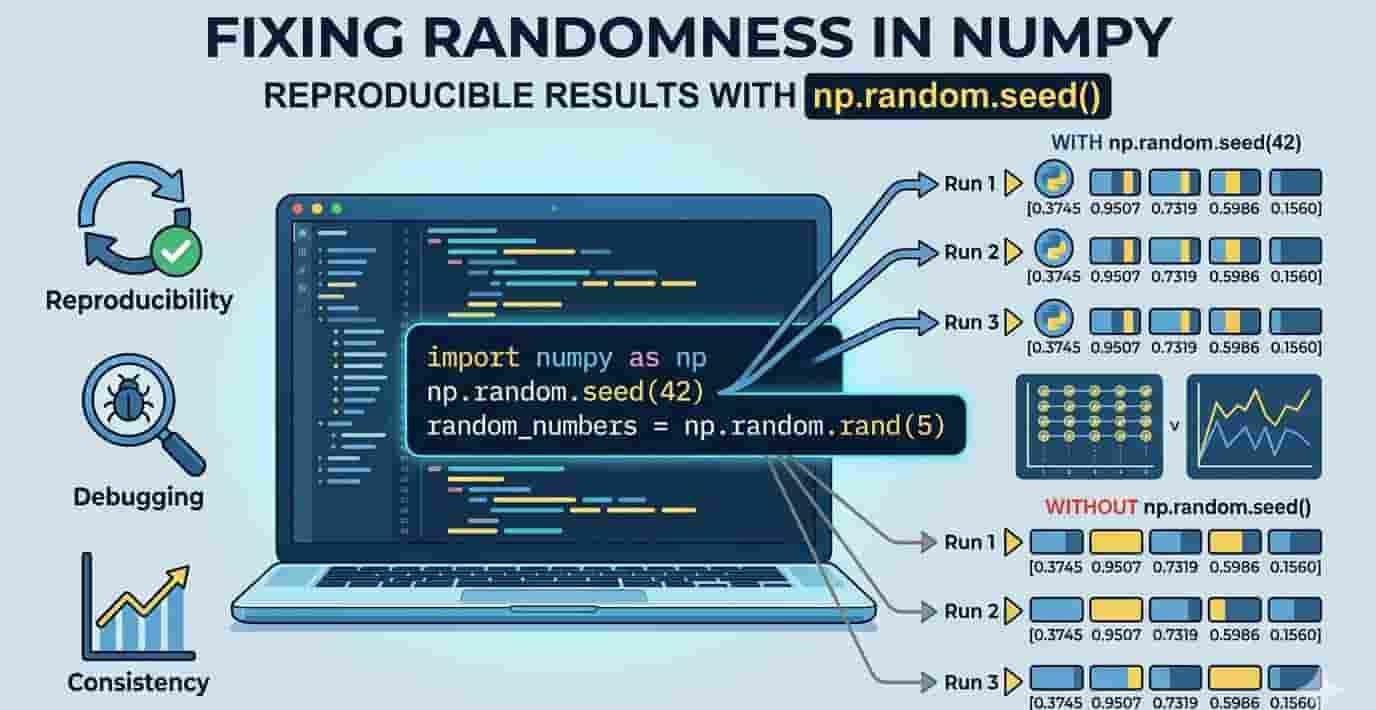
When working with NumPy for Beginners, developers often generate random numbers for testing, simulations, or machine learning experiments. However, random numbers usually change every time the program runs. To get the same results repeatedly, NumPy allows you to fix the randomness using a seed value.
The np.random.seed() function ensures that the random numbers generated will be
reproducible, meaning they will remain the same each time the code is executed.
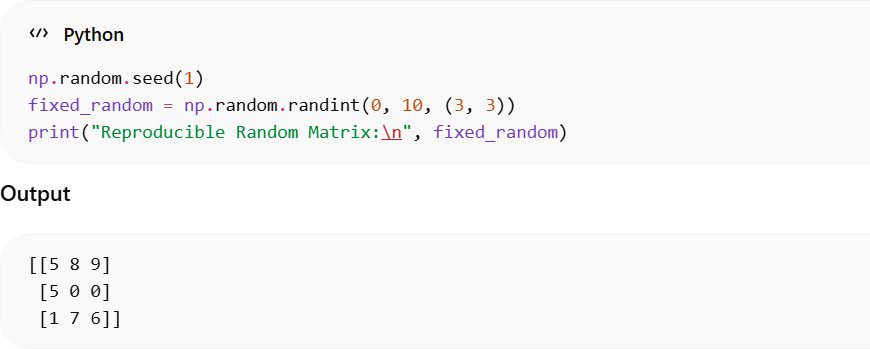
Setting a seed is extremely useful in NumPy for Beginners, especially when debugging code, sharing results with others, or conducting experiments where consistent results are required.
Step 8: Arrays with Zeros
Creating placeholder arrays is another common concept in NumPy for Beginners. NumPy provides a built-in function called np.zeros() that allows you to generate an array filled entirely with zeros.
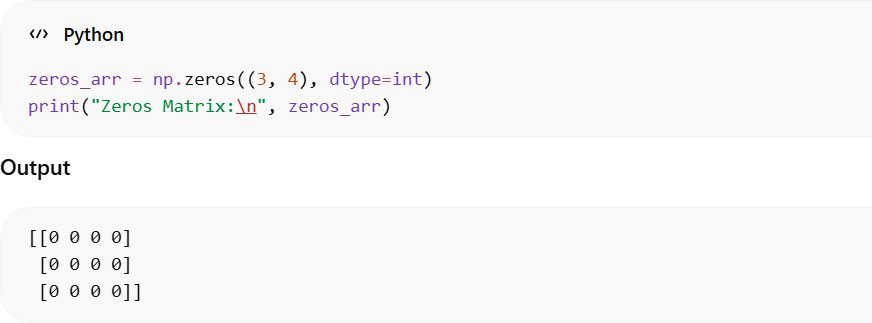
In this example, NumPy creates a 3×4 matrix filled with zeros. These arrays are often used as
initial placeholders for data that will be filled later during computations or algorithms.
Step 9: Arrays with Ones
Similar to zero arrays, NumPy also allows you to create arrays filled with ones using the np.ones() function. This is another basic concept often introduced in NumPy for Beginners tutorials.

Arrays filled with ones are very useful in mathematical operations, matrix calculations, and machine learning algorithms, where constant values are needed for initialization.
Step 10: Identity Matrix
Another important concept in NumPy for Beginners is the identity matrix. An identity matrix is a square matrix where the main diagonal elements are 1 and all other elements are 0.
NumPy provides the np.identity() function to create such matrices easily.
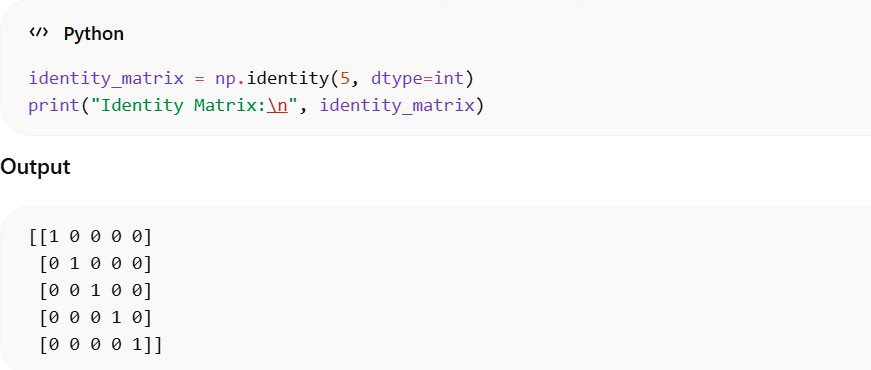
Identity matrices are frequently used in linear algebra.
Step 11: Filling with Specific Values
 Sometimes, we need an array where every element has the same value. This is useful for initialization or placeholders.
- (2, 4) → 2 rows and 4 columns
- 7 → every element in the array is set to 7
- Use Case: When you want a default value in arrays for calculations, simulations, or testing.
Beginner Tip: np.full() is faster and cleaner than manually creating arrays with loops.
Step 12: Using arange
arange() is similar to Python’s built-in range() but creates a NumPy array.
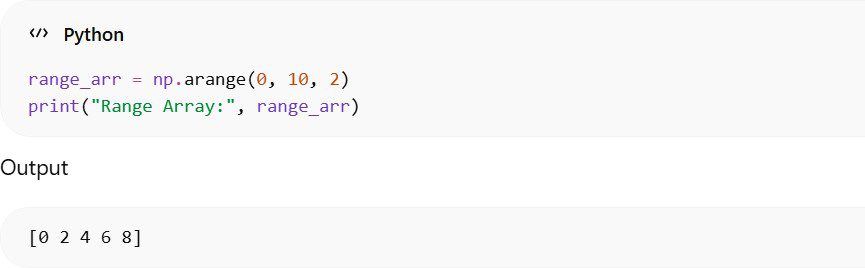
Explanation:
- Start = 0 → the array begins at 0
- Stop = 10 → stops before 10 (exclusive)
- Step = 2 → numbers increase by 2
Why use it: Perfect for generating sequences for loops, calculations, or dataset simulations in Python.
Step 13: Using linspace
linspace() lets you create an array with a fixed number of evenly spaced values between a start and stop.
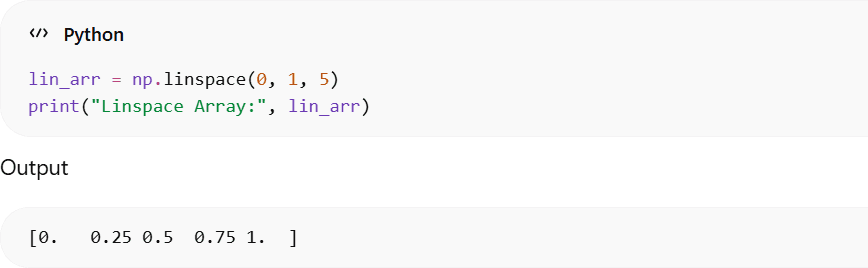
- Start = 0, Stop = 1
- 5 points → the array has 5 evenly spaced numbers
- Use Case: Useful in plotting graphs or dividing ranges into equal segments
Tip for Beginners: Unlike arange(), linspace() focuses on number of points rather than the step size.
Step 14: Mathematical Functions
Mathematical functions are another important part of NumPy for Beginners.
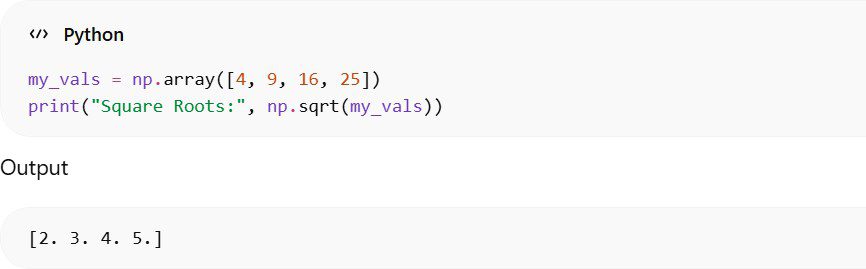
- Each element in my_vals array is individually processed by np.sqrt()
- No need for loops → very efficient and fast
- Beginners will quickly notice the power of vectorization and Lists.
Tip: Once you understand ufuncs, you can apply advanced math directly to large datasets, which is essential for data science and machine learning.
Step 15: Basic Aggregations
Another important concept covered in NumPy for Beginners is performing basic aggregation operations on arrays. Aggregation functions allow you to quickly summarize data by calculating totals, averages, maximum values, and minimum values. These operations are extremely useful in data analysis, statistics, and machine learning.
NumPy provides several built-in functions that make these calculations very fast and efficient when working with numerical datasets.
Example:

In this example, the NumPy array stores monthly sales values. The np.sum() function calculates the total sales, np.mean() finds the average monthly sale, np.max() returns the highest value, and np.min() identifies the lowest value in the dataset.

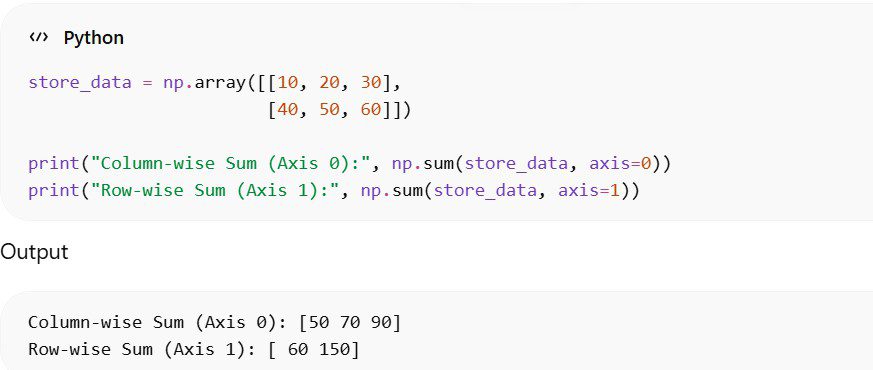
Step 16: Aggregation Across Rows and Columns
Matrix aggregation is another concept explained in NumPy for Beginners.
Real-World Applications of NumPy
In real-world programming, NumPy for Beginners leads to many practical applications such as:
- Data science
- Machine learning
- Financial analysis
- Image processing
- Artificial intelligence
Many powerful Python libraries depend on NumPy for high-performance numerical operations.
Conclusion
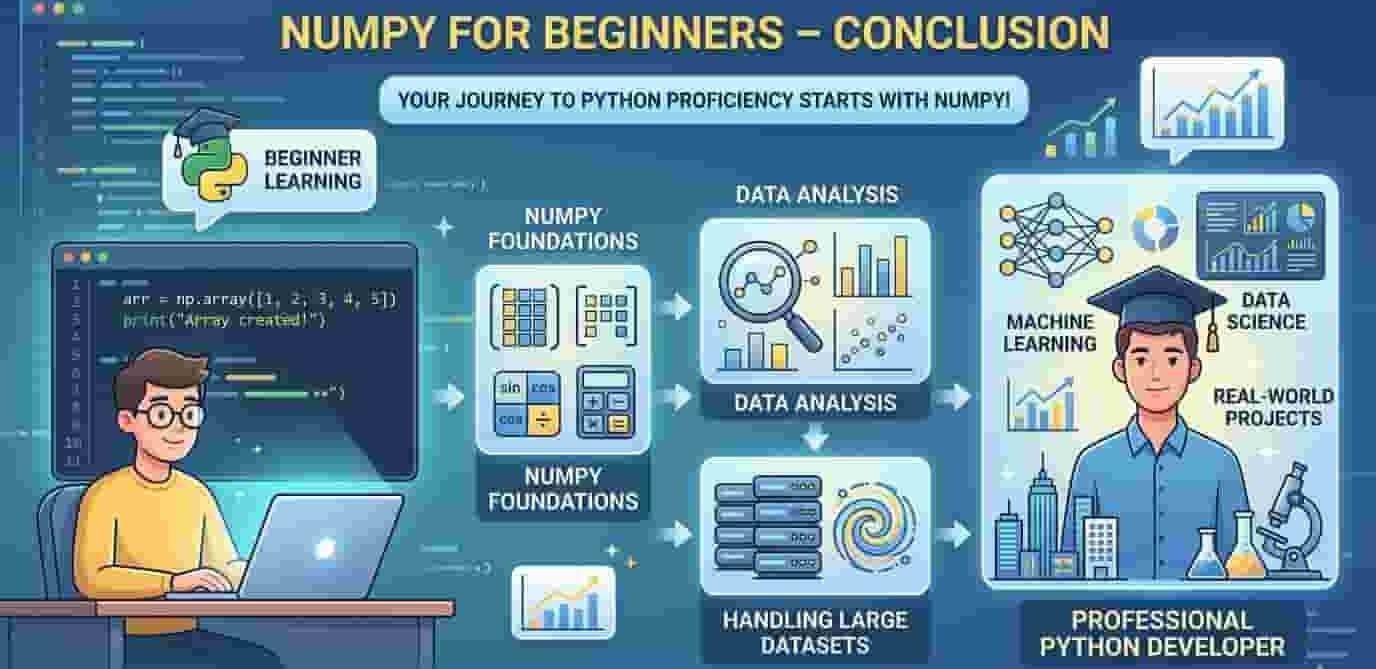
Learning how to use NumPy as a beginner is essential for learning how to become a professional Python developer. NumPy offers many different tools that allow you to create and work with arrays, complete mathematical equations, and are able to perform data analysis on a large amount of data in an effective way.
Once you understand what the different components of NumPy for Beginners are and have some understanding of how to use them, you should feel much more comfortable moving to the next stage of learning advanced Python libraries and working on real-world projects related to data science or machine learning.
Professional Resources & Support
YouTube Channel: Subscribe to AI Learner Tech for video tutorials on NumPy, Data Science, and AI 🎥.
Source Code: Access the full code for this tutorial and future projects on our GitHub Organization 📂.
Daily AI Updates: Follow us on LinkedIn for short clips, industry trends, and quick tips 🤝.
Join the Discussion: Become part of our Facebook AI Community to interact with experts 👥.
Support & Inquiries: For questions or collaborations, reach out to us at contact@ailearner.tech 📧.

Author: AI Learner Tech
AI Learner Tech is a premier research and educational hub dedicated to mastering Artificial Intelligence, Machine Learning, and Computer Vision. We bridge the gap between complex academic theories and real-world industrial applications. Join our community to access high-quality tutorials, open-source projects, and expert insights. Website: ailearner.tech